


Technology is part of almost everything we do at home and at work. When a device, a program or the internet connection fails, it is frustrating. Technical support exists to find the fault and fix it faster. This guide explains how tech support works, how to use it well and how regular maintenance prevents problems.
What is technical support?
Technical support is a service that solves problems when technology breaks or performs badly. It covers jobs such as fixing a jammed printer, recovering lost folders and improving network speed. Any task that fixes a tech problem, or helps you use software better, counts as support.
How does technical support work?
Several channels connect users who have a problem with the people who can solve it.
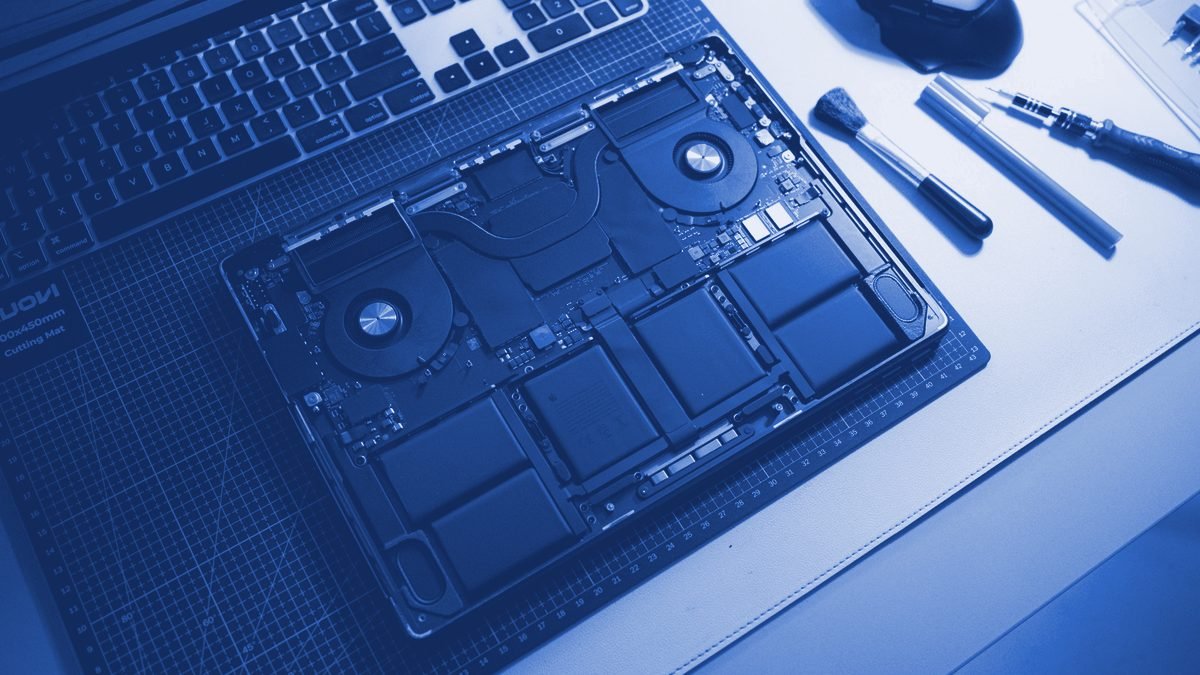
Phone support
You speak directly to a trained representative. You can describe the exact issue and get spoken guidance that fits it.
Email support
You write a detailed summary of the issue, and the messages give both sides a record to track and share. It is slower than a live conversation.
Live chat support
Typed messages in real time combine the speed of a phone call with the written record of email. Sharing visual aids over chat can be awkward.
Online self-service
Documentation sites, FAQs and troubleshooting articles let users search for their own solution without waiting for a live expert.
In-person support
A technician visits and works beside you. This allows hands-on fixes and demonstrations that are not possible remotely.
Benefits of using technical support
Asking for help when a problem appears reduces the struggle and teaches you to handle more yourself.
Faster resolution
Immediate support cuts the frustration of a problem that drags on because you lack the knowledge to solve it alone.
Expert guidance
Experienced technicians skip the aimless trial and error. They have helped many clients before and know fixes you would not find on your own.
Reduced stress
Handing a fault to someone else lowers your stress. Trying to untangle an unfamiliar network or complicated software alone slows you down.
Preventative maintenance
Support professionals teach safer habits, which reduces risky behaviour. They also adjust settings in advance so systems run reliably and fail less often.
How to get the most out of technical support
Follow these guidelines.
Be prepared
Write down the problem as a clear timeline. Include any recent changes that might have caused it.
Explain issues clearly
Describe exactly what happened, and use technical terms correctly. Vague descriptions get vague answers. Make sure you and the analyst understand each other.
Be patient
Allow enough time for the first diagnosis before you jump to conclusions. A problem that looks simple may hide a deeper cause that takes expertise to find.
Follow instructions carefully
Do the steps in the order given, with no changes or shortcuts. That is how you know the fix was set up correctly and whether it worked.
Take notes
Record the settings suggested, the troubleshooting methods you learned and the advice on good use. Notes make a repeat less likely and let you pass the knowledge on.
Finding technical support
Depending on the situation, use the resources you already have:
- Check the manual that came with the hardware. It may explain troubleshooting steps, and the warranty guide may point to the company’s support portal.
- Search the company website for the product page. It should list support channels such as live chat or a knowledge base with self-service instructions.
Common technical issues and general troubleshooting tips
These are frequent trouble areas, with a place to start for each.
Computer issues
- Slow performance: close apps you do not need, clear caches, upgrade hardware components, optimise the operating system and remove the clutter that slows things down.
- Internet connectivity problems: restart the modem and router to reset an unstable connection. Check that your account is paid so access is not interrupted. Inspect the cables and confirm they are firmly seated.
- Hardware malfunctions: isolate the fault by replacing components one at a time and testing after each change. Update drivers and firmware so the system communicates properly with its components.
Software issues
- Crashes: free up storage or upgrade hardware to reduce the processing load and prevent shutdowns from overload. Lower the demand on the program by using fewer features and doing only essential tasks.
- Error messages: write down the exact wording of the warning and search for it. Matching phrases often explain the cause, such as a missing software dependency or a failing hard disk that needs replacing. Follow the posted advice carefully.
When to seek professional technical support
If the manuals and help articles from the manufacturer do not solve the problem, consider hiring a specialist who provides technical support for cases like these.
Complex hardware problems
Certified repair technicians have the right tools to find a shorted motherboard or test component voltages against specification. They source compatible replacement parts and repair failed units with skills beyond those of a hobbyist.
Data recovery
Specially trained data recovery engineers use careful procedures and specialist lab equipment. They can save files that seem lost after an accident or a serious software failure.
Network issues
Network administrators manage router settings and permissions. They let many devices share fast wired and wireless connections on a properly segmented network, so traffic does not create bottlenecks.
Recurring issues
If the same crashes keep happening after software upgrades and clean installs, bring in support that specialises in that application. Generalists may lack the product-specific insight that dedicated experts have.
The importance of regular maintenance
Fixing problems quickly matters. So does preventative care, which stops the slow decline that is easy to overlook.
Regular software updates
Updates patch security weaknesses and add features. They improve performance and the user experience.
Disk cleanup
Removing unused files frees storage and improves speed. Without an occasional clear-out, clutter builds up and overloads capacity.
Malware scans
Routine antivirus scans stop infections from taking over processing power and sending sensitive personal data to criminals.
Hardware cleaning
Use compressed air to blow out dust. Dust clogs internal fans and heat sinks, the computer cools less well, and overheating can damage the motherboard.
Backup creation
Always keep current copies of important data. If a fire, flood or other unexpected event destroys the device, the backup is the only copy of files you cannot replace.
In short
Technical support is a lifeline when technology problems interrupt your day. Company helplines and local technicians who make house calls both get you back on track faster. What you learn from each fix also helps you handle minor issues yourself next time. So much depends on equipment that works, and the people who provide technical support remain valuable partners.